Winback自動化の設定方法 Recovery(旧称:Winback)自動化機能は、Google、OpenTable、およびYelp上のネガティブなレビューを回復するのに役立ちます。
Recovery自動化の設定方法
Recovery自動化の設定は、Auto-ResponseおよびAuto-Resolve自動化ルールの設定とほぼ同じ手順で行います。 Auto-Response and Auto-Resolve Automation
Walkthrough
よくある質問
Move the conversation to a private thread.
Common FAQs
Can the winback form be used for positive ratings?
At the moment, it only applies to defined negative ratings.
What is considered a negative feedback?
Reviews with ratings from 0 to 3 are classified as negative feedback.
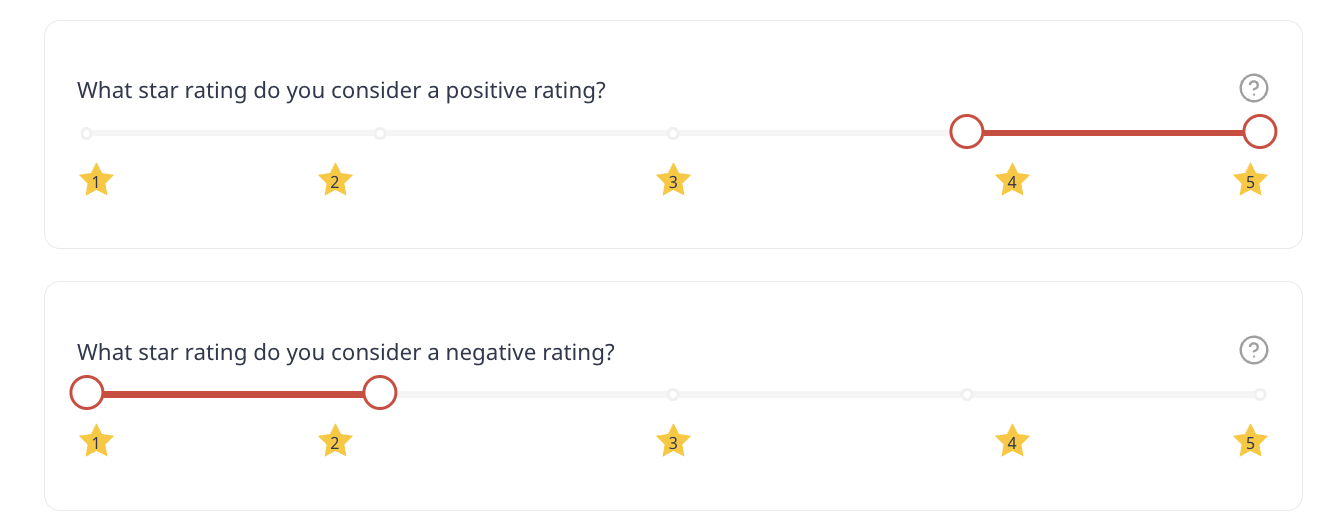
In surveys, you can define the negative ratings on Settings. Note that all ranges of stars and emojis (whether its 10 or 3) will be normalized to a 5 point scale.
この記事は役に立ちましたか?
それは素晴らしい!
フィードバックありがとうございます
お役に立てず申し訳ございません!
フィードバックありがとうございます
フィードバックを送信しました
記事の改善におけるご協力ありがとうございます。